
OnlyFans Restricted Words: What You Can’t Say (And How to Avoid Getting Blocked)
Understand OnlyFans restricted words, how message blocking really works, and how to protect your account and revenue without killing conversions.

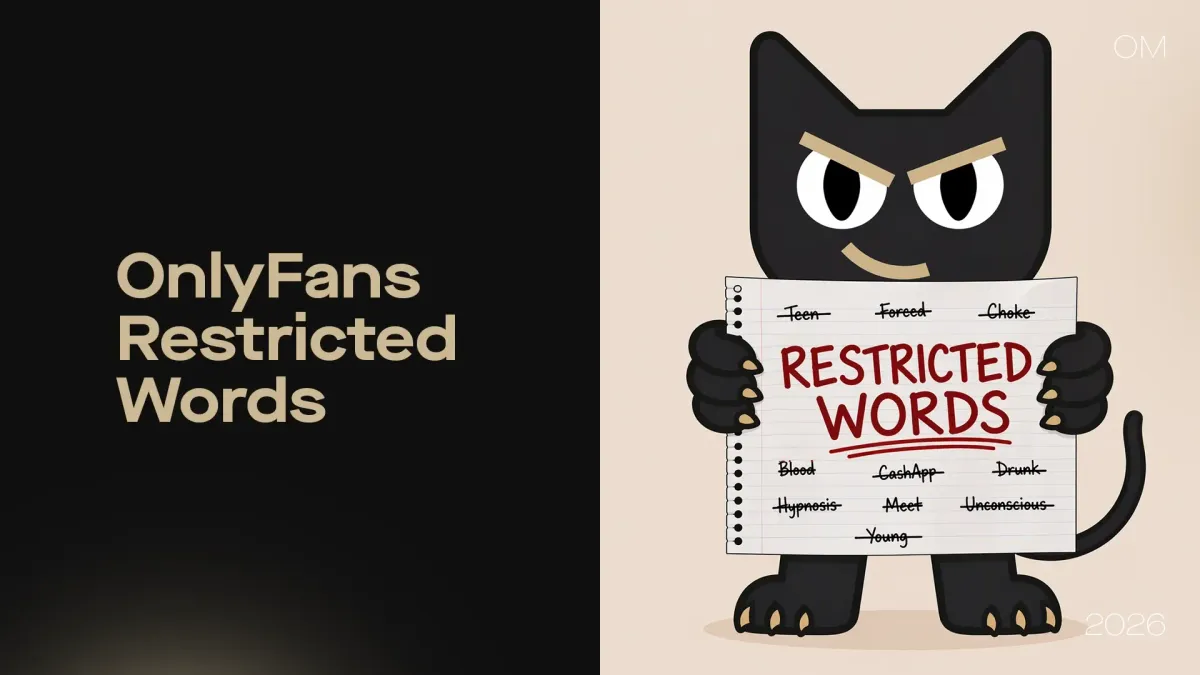
Run an OnlyFans account long enough and you'll hit a strange wall: a message you sent that no fan ever saw. When this pattern repeats across many chats, you start wondering how much OnlyFans income you lose on messages that never actually reach the other side. That silent leak is one of the most dangerous side effects of OnlyFans restricted words.
In this article, we will unpack restricted words on OnlyFans from the platform’s perspective. You will see what types of language are sensitive, how the detection system behaves, what risks you’re actually playing with, and how to avoid getting blocked without turning your chat into a robotic script.
What Words Are Restricted on OnlyFans?
People often ask in forums and chats: what words are restricted on OnlyFans? They expect a nice, easy list they can memorize. However, the platform is not just hunting individual tokens; it is trying to prevent specific behaviors: off-platform migration, illegal content, and high‑risk activity.
So, it’s more useful to think in categories of risk rather than a fixed dictionary.
Off-Platform Contact & Payment Redirection
One of the biggest risk categories is any attempt to move fans off the platform for private communication or payments. These include obvious contact details like WhatsApp, Telegram, Snapchat, phone numbers, and emails, plus hints toward direct crypto wallets or alternative payment links.
From OnlyFans’ point of view, this is a pure revenue protection issue. They invest in infrastructure, moderation, and payment processing, and they expect transactions to stay on-platform. If a OnlyFans creator constantly pushes fans to pay by PayPal or send crypto to a wallet address, the platform not only loses revenue, but also loses visibility into what exactly is happening. So, certain words, numbers, and patterns that signal “let’s talk or pay somewhere else” are naturally sensitive.
External Links & Traffic Leakage
The same logic applies to external links. URLs to other platforms, competing subscription sites, or random websites often trigger filters or stricter review. This is not only about explicit risk; it’s also about OnlyFans traffic leakage and OnlyFans scam prevention.
If you consistently push fans outside of OnlyFans, you are moving them away from a space where the platform can monitor behavior and enforce rules. So when you share external links too aggressively, you are not just “promoting your brand,” you might be stepping into a category that automated systems treat with caution.
Illegal or High-Risk Content
Then, there is the most obvious but critical category: high-risk language from a legal and compliance standpoint. These signals are heavily monitored and can lead to immediate enforcement actions at the platform level.
You’ll notice that many generic lists of “banned words” online are dominated by these topics for a reason. Platforms have strong legal and reputational reasons to detect and stop this type of content quickly. Even a joke or roleplay that carries the wrong implication can put your OnlyFans career at risk.
Certain Explicit or Transactional Phrases
Finally, there is a grey area of explicit or transactional phrasing. Not all sexual language is banned — this would be absurd on an adult platform — but certain combinations of words can indicate higher‑risk offers (for example, illegal services, in‑person meetups, or direct offers for in-person paid services), and those can be flagged depending on context.
What’s more, here is the important nuance: two messages can use the same word, but one is accepted and another gets caught because the overall intent looks different. So, restricted words on OnlyFans are not just about vocabulary; they are about how that vocabulary is used.
Key insight: OnlyFans restricted words are not static. They evolve based on platform behavior, policy changes, and enforcement patterns, which is why rigid “master lists” are always at least slightly outdated.
What Are Restricted Words on OnlyFans (And How the System Actually Works)
If you want to go beyond basic survival and succeed on OnlyFans, you need to understand how detection behaves under the hood. Asking what restricted words are on OnlyFans is only step one. The more strategic question is: how does the system interpret what you send?
It’s Not Just Words — It’s Pattern Detection
Modern moderation systems look for patterns, not just single expressions. They analyze combinations: one word might be fine; the same word plus a number and a certain verb suddenly looks like an attempt to arrange off‑platform services or payments.
Intent matters. If your messages continually point toward Telegram, crypto wallets, or in‑person “arrangements”, the pattern becomes clear no matter how you spell the words. This is why some creators feel like they avoided detection for months and then “suddenly” started getting blocked: the pattern finally became strong enough.
Context Matters More Than Vocabulary
Because of this, the same phrase can be safe in one context and risky in another. A purely informational sentence might pass, while a similar sentence framed as an offer with a price and timing could be flagged.
This is also why OnlyFans creators sometimes share stories like “I said X before and it was fine, now it gets blocked.” The system doesn’t just memorize single incidents; it evolves. The context of your recent behavior, the content category, and even platform‑wide enforcement trends play a role.
Obfuscation Doesn’t Always Work
A common instinct is to “outsmart” filters with spacing, symbols, or misspellings: writing T3le gr@m instead of Telegram, or sp@ces in phone numbers. Sometimes this works for a while, but platforms and tools quickly learn these tricks. AI detection systems look at patterns and similarity, not only exact strings.
What’s more, this is exactly the kind of behavior that systems like OnlyMonster’s Message Guard are built to catch, on your side. Its Bypass Protection layer detects hidden or altered versions of prohibited words, including spacing tricks and symbol swaps. So relying on obfuscation as a long‑term strategy is not only unstable — it creates a cat‑and‑mouse game that wastes time.
OnlyFans Restricted Words List (Categorized)
Everyone loves the idea of an “ultimate OnlyFans restricted words list.” It feels like if you had that magic file, it would let you train your OnlyFans chatters and never worry again. Reality is more dynamic because platform rules evolve and internal detection rules change. New patterns emerge based on community behavior, external pressure, and enforcement waves.
Still, it’s useful to understand typical families of words that are restricted by default.
Commonly Flagged Words & Phrases
If you look at public guides and tools, many commonly flagged terms fall into grouped categories such as:
- Off‑platform contact: messaging apps, phone numbers, emails.
- Off‑platform payment: PayPal, crypto wallets, alternative gateways.
- Other adult platforms: competitor site names.
- Illegal or extreme content indicators: underage, violence, non‑consent, bestiality, and similar.
You’ll notice the same logic as before: the system tries to protect revenue, legal compliance, and reputation.
Variations That Can Still Trigger Filters
Creators sometimes try misspellings, alternative characters, or symbol insertion and spaces to dodge detection. Many sources on how to become an OnlyFans chatter confirm that this only works temporarily at best, since automated systems learn these patterns and start treating them similarly to the original terms. So, if you rely heavily on creative spelling to push fans off‑platform or into risky offers, you are building on unstable ground.
Restricted Words on OnlyFans Messages: What Actually Happens
Now let’s look at the practical side: what happens specifically with restricted words on OnlyFans messages when the system doesn’t like what you typed?
Messages Get Blocked Before Sending
In some cases, the platform will simply refuse to send a message. You may see an error or the send button may stay inactive. This is the most visible scenario, and ironically, also the easiest to handle — in this case, you know something went wrong, so you can rephrase.
Some third‑party tools work on this same principle: they scan your text before it goes out and show a warning if risky language is detected. OnlyMonster’s Message Guard operates in this space too, but with multiple layers and AI‑based detection.
Silent Failures (Most Dangerous)
The truly dangerous scenario is the silent failure. Here, your message appears as sent in your interface, but the fan never sees it. There is no alert, no error. From your side, you did the job, but from their side, nothing happened. This is exactly where most hidden revenue loss lives — not in bans, but in messages that quietly never arrive. It comes from important messages that quietly never reach the fan.
Account-Level Risks
On top of message‑level blocking, repeated violations or extremely high‑risk content can lead to warnings, restrictions, and in serious cases, bans. While this is less common than silent filtering, it’s the outcome every OnlyFans agency and serious creator wants to avoid.
How to Avoid OnlyFans Restricted Words (Without Killing Conversions)
So, the real challenge is not just “avoid these magic words,” but “keep your messaging effective while staying inside the platform’s comfort zone.” You still want to sell content on OnlyFans, push PPV, and get tips — but in a way that doesn’t trigger filters every few days.
Rephrase Instead of Removing Meaning
One powerful approach is to rephrase instead of deleting meaning. For example, instead of directly naming a high‑risk external payment method, you can lean on more generic wording and guide users to platform‑compliant flows.
The goal is to keep your tone natural and human, not robotic. Being too vague can hurt conversion, but small tweaks often make a big difference. This is especially important when your chatters discuss emotionally charged or niche topics with fans and want to communicate clearly what experience someone gets, without using the language that algorithms associate with illegal content.
Avoid Direct Off-Platform Mentions
Where possible, try to keep the relationship, payment, and main experience on OnlyFans. Not only is this safer, but it also centralizes your operations, analytics, and automation. If you really must refer to external channels for legitimate reasons (for example, brand pages or safe‑for‑work content), do it sparingly and in a way that doesn’t look like systematic diversion.
Train Chatters on Safe Communication Patterns
If you work with a team of OnlyFans chatters, training on safe communication patterns is essential. People who come from other industries may not realize how sensitive some phrases are in creator economy platforms.
Agencies especially need to formalize this: how to pitch PPV, how to upsell best-selling content types on OnlyFans, how to handle “meetup” requests, how to respond when a fan pushes for off‑platform payment. Without consistent training, one chatter’s mistake can create account‑level problems for everyone.
Standardize Messaging Frameworks
The next level is standardizing messaging frameworks. Instead of each chatter improvising, you define templates, flows, and response patterns that are both high‑converting and safe. This might include welcome sequences, reactivation flows, high-value subscriber outreach, and retention messages.
OnlyMonster is built exactly for this kind of operational maturity. Message Guard, combined with Auto Messages and existing messaging tools, helps you ensure that even when your team uses scripts and improvises around them, risky language is caught before it hits Send. That way, you keep your sales engine running without constantly worrying that one message may trigger a wave of silent blocks.
OnlyFans Restricted Words Checker (And Why Manual Control Fails)
Many creators discover free or paid OnlyFans restricted words checker tools that let you paste text and see if the text includes risky terms. These are useful, especially when you are learning. But over time, they reveal a deeper problem, since simple checkers and manual lists suffer from a few limitations:
- They are static while platform rules evolve.
- They rely on humans to remember to check every time.
- At scale (hundreds or thousands of messages per day), this workflow completely breaks.
What works when you only manage 10 chats turns into chaos when you manage 10,000. For a serious OnlyFans agency or a high‑volume creator, relying purely on manual control means accepting constant risk and hidden message loss.
How OnlyMonster’s Message Guard Solves This
OnlyMonster is a Creator Operations Platform — built to manage creator businesses across multiple platforms, including tools like Message Guard that protect your team's communication at scale. OnlyMonster’s Message Guard is designed as a real‑time, AI‑powered safety net.
Instead of checking messages manually, the system automatically scans all outgoing content and blocks risky messages before they reach the fan. It also logs every violation attempt with full context so managers can see who wrote what, when, and why it was stopped.
A key differentiator is Bypass Protection: Message Guard not only looks for exact words from a list, but also detects., but also detects obfuscated versions, spacing tricks, and symbols that try to disguise restricted terms. In practice, this means your team can keep selling confidently while Message Guard quietly protects you in the background. Under the hood, Message Guard uses multiple configurable layers:
- Red List for critical high‑risk words aligned with public platform policies.
- Yellow List, a curated set of risky terms updated by OnlyMonster based on research and ongoing enforcement trends.
- Custom List so your organization can block specific terms, competitor names, or unapproved promo patterns.
- Whitelist to allow specific exceptions and reduce false positives.
- Bypass Protection to catch obfuscated wording and character tricks.
For managers, this multi‑layer design translates into benefits: fewer mistakes from new chatters, consistent language across the team, and much lower risk that one careless message puts a high‑earning account in trouble.
Final Words: Restricted Words Are a System Problem, Not a Vocabulary Problem
In the end, OnlyFans restricted words are not just about avoiding a few flagged words. They reflect platform logic: protect revenue, prevent illegal content, reduce risk. For creators and agencies, the real challenge is operational, not linguistic. You need to keep your messaging aggressive and persuasive enough to sell content on OnlyFans and grow, while staying reliably within platform guidelines.
The creators and agencies who manage this balance don’t just memorize lists; they build systems. They train chatters, standardize scripts, and use tools that protect them in real time. They understand that messages which never arrive cannot convert, and that silent filtering is one of the biggest hidden threats to long‑term performance. Tools like OnlyMonster’s Message Guard are built exactly for this reality: they watch every outgoing message and catch risky patterns, without risk that a single sentence will quietly block the next big sale.
If you’re ready to treat compliance as part of your revenue system, try OnlyMonster’s Message Guard and let it quietly protect your messages while you focus on selling.


 Join Us on Telegram!